 FS Tracker
Every flight logged, by itself.
FS Tracker records your Microsoft Flight Simulator flights in the background. Follow them live from your phone, replay your landing second by second, and see how many hours and miles you have flown.
No buttons to press: recording starts when the engine does and ends when you park and shut down.
Three steps and you are set
After setup there is nothing left to do. Keep flying in the simulator; FS Tracker handles the rest.
Install the Windows app
Sign in once with your account. If you registered with Apple or Google, connect using the pairing code from your phone. The app then waits quietly in the system tray.
Fly in the simulator
Recording starts the moment you start an engine or the aircraft begins to move. Takeoff, landing and the departure and arrival airports are detected automatically.
Watch from your phone
Follow the flight live; when it ends it joins your history with its route, profile and landing rate.
Everything about your flight, in one place
Automatic recording
The start and end of a flight are detected from the simulator. Nothing is sent while paused or in slew mode, so the track stays clean.
Live tracking
Your aircraft moves smoothly across the map while altitude, ground speed, vertical speed and heading update in real time.
Replay
Play any flight back on the map at 1×, 4× or 16×, and jump to any moment with the scrubber.
Real landing rate
Vertical speed at touchdown is sampled ten times a second, so you see the real figure instead of a coarse estimate that misses the flare.
Statistics
Total flights, time in the air, distance, the aircraft you fly most and your smoothest landing.
Privacy under your control
Turn live sharing off with one tap. No password is stored on the desktop; the device key is kept encrypted and can be revoked whenever you like.
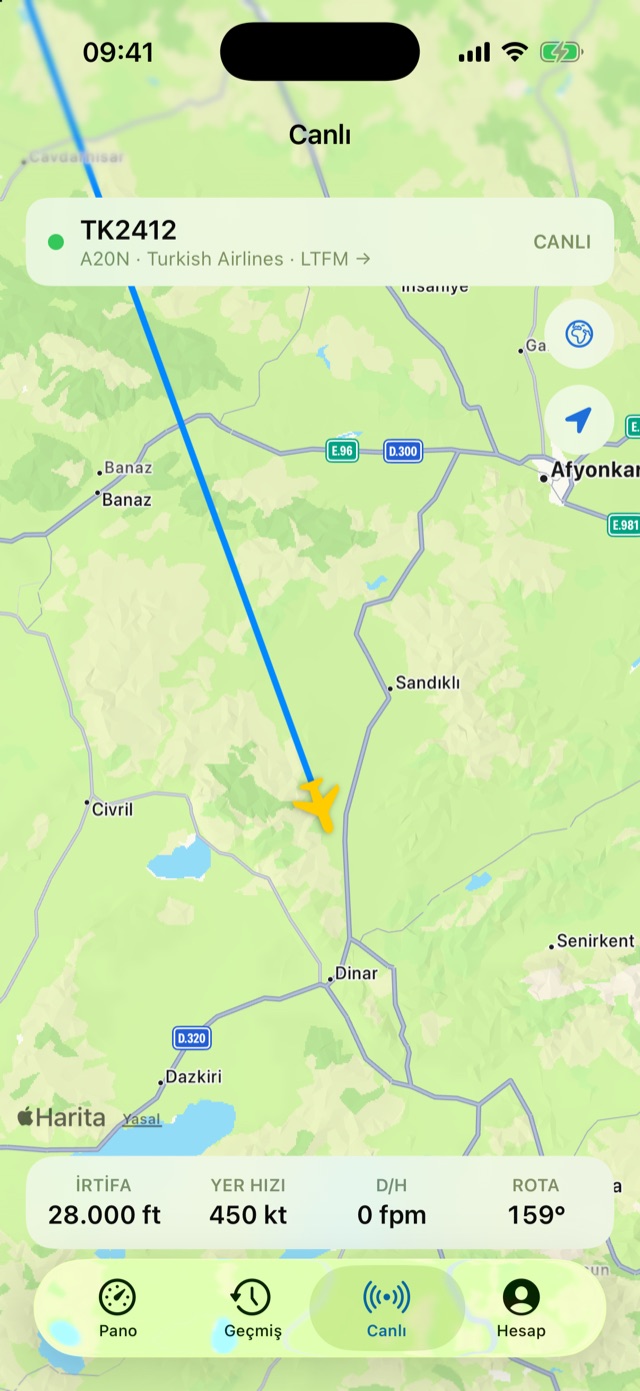
The simulator is in another room; the flight is in your pocket
The server broadcasts positions every couple of seconds and the app fills the gap using heading and speed, so the aircraft glides instead of jumping.
- Your aircraft on the map with its growing track
- Altitude, ground speed, vertical speed and heading
- Standard map or satellite imagery
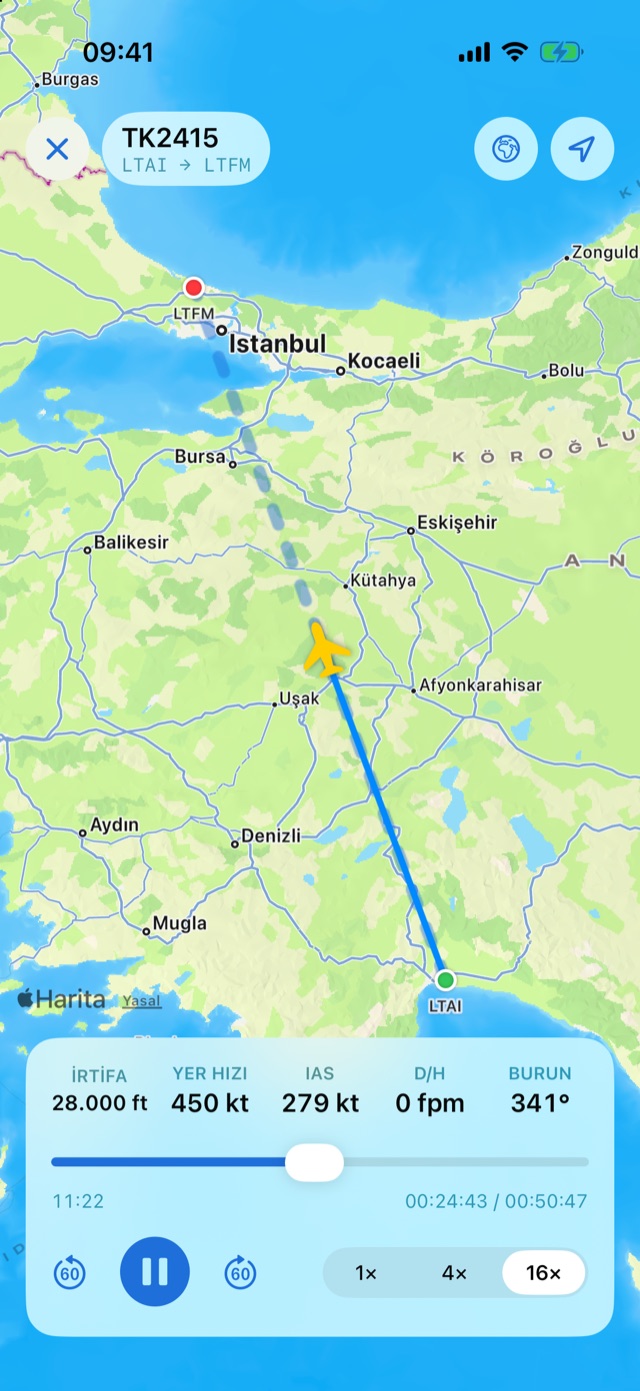
Watch that approach again
Every recorded flight can be played back on the map. The aircraft turns with its heading while altitude, speed and vertical speed run alongside it.
- 1×, 4× and 16× playback
- Scrub to any moment, or skip 60 seconds either way
- Camera that follows the aircraft
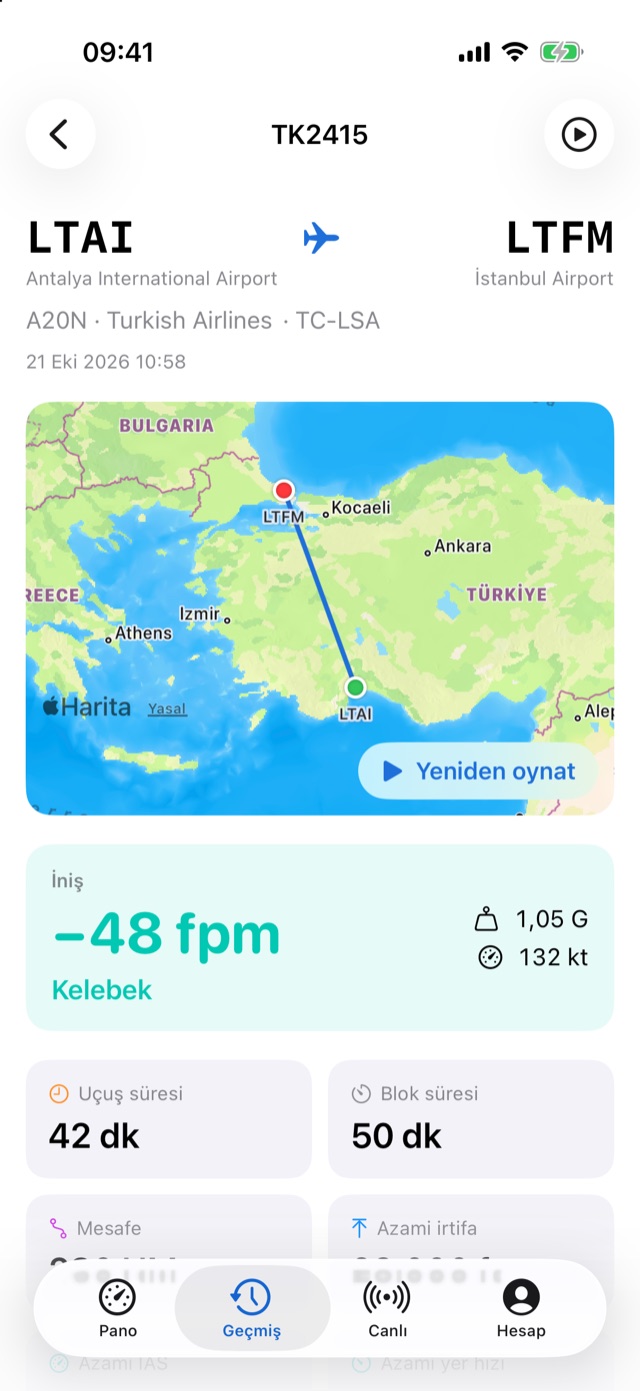
How many fpm was that landing?
The number everyone looks for sits at the top. Vertical speed at touchdown is shown with G force and speed, on a colour-coded scale.
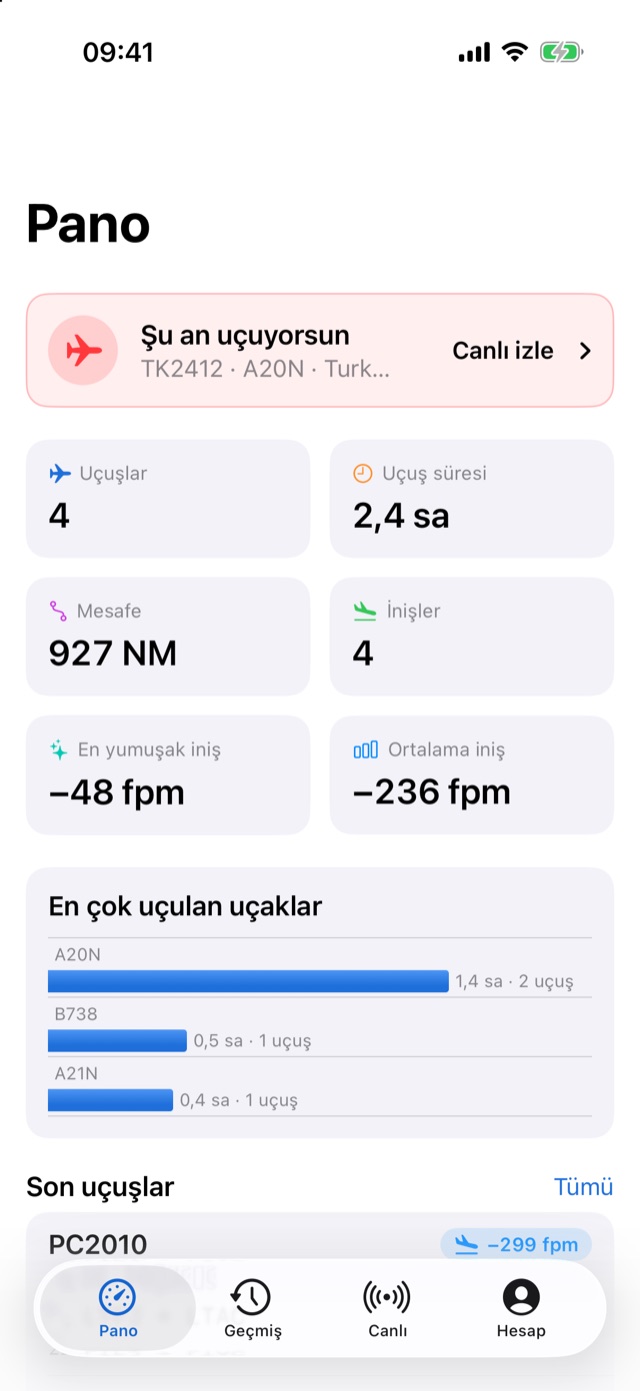
Let your logbook fill itself
Departure and arrival airports come from the route, and flight time is counted as time in the air rather than block time.
- Total flights, time, distance and landings
- The aircraft types you fly most
- Flight history that opens offline too
Recording on the PC, tracking in your pocket
The Windows app collects data from the simulator; the iPhone and iPad app shows your flights from the same account.
Windows
Works with Microsoft Flight Simulator 2020 and 2024 and figures out which one is running by itself. Sits in the system tray and can start with Windows.
iPhone and iPad
Live tracking, flight history and replay on an interactive map, with every flight logged for you. Requires iOS 15 or later; a subscription unlocks the features.
Listed as Flight Sim Tracker — view on the App Store
Android
The Android app is being built. Same account, same flight history.
Starter
Get to know the app and try every screen.
- Windows app and automatic recording
- Dashboard, detail and replay with a sample flight
- Desktop pairing and device management
FS Tracker Pro
Pricing will be announced when the app reaches the store.
- Your complete flight history
- Replay of every flight on the map
- Live tracking
- Statistics and landing records
Frequently asked questions
Which simulators are supported?
Microsoft Flight Simulator 2020 and 2024. The Windows app checks which one is running and picks the right connection itself.
Do I have to do anything to start recording?
No. Recording starts when an engine is running or the aircraft moves, and ends once the engines are off and the aircraft has been stationary for 30 seconds. If the aircraft never left the ground, the flight is marked “no takeoff”.
What happens if my internet drops?
During short outages positions are buffered on your PC and sent once the connection returns, so there is no gap in the track.
I signed up with Apple or Google. How do I sign in on Windows?
Those accounts have no password. Open Account → Connect desktop in the phone app for a code valid for five minutes, then click “Connect with the code from your phone” in the Windows app and type it in.
Can other people see my flight?
While live sharing is on, your position and aircraft details may appear on the live map. You can turn it off from the account screen; with it off your flights are still recorded but not broadcast. Your flight history is always private to you. Details are in the privacy policy.
What can I do without a subscription?
The Windows app keeps recording your flights. In the mobile app you can try every screen with a sample flight; your own history, replay and live tracking come with the subscription.
Put your next flight on the record
The Windows app and the iPhone app are both ready to download. Write to us with any problem or suggestion.
Support and contact